Conveyer Menu – all about SGBELT controller
I have shown you the basic functions of the conveyor menu in the Quick Start section with the conveyor as well as in the conveyor firmware update manual. Links to these videos can be found in the description.
In this video, however, I wanted to show you the remaining controller functions that are used less often. These are functions and settings that are important for precise calibration of the conveyor, turning off the socket sensor or changing the direction of the conveyor. When you enter the Features section of the controller, the first option available is “Sensor”.
It allows you to turn the sensor in the middle of the conveyor socket on and off. If this function is disabled, even if there is no item in the conveyor slot, a marking signal will be sent, possibly marking the set image on the surface of the conveyor socket, which should be avoided. This function will also disable the magnetic gate if it is used instead of the built-in sensor.
Another function is Micro Calibration, a parameter used to change the settings for moving the conveyor belt. It allows the conveyor rotation to be perfectly calibrated so that the conveyor returns perfectly to the starting position despite thousands of belt revolutions per day. This ensures that the location of the marking on the item is perfectly consistent. This parameter is set originally during the tests of each conveyor. Let’s move on.
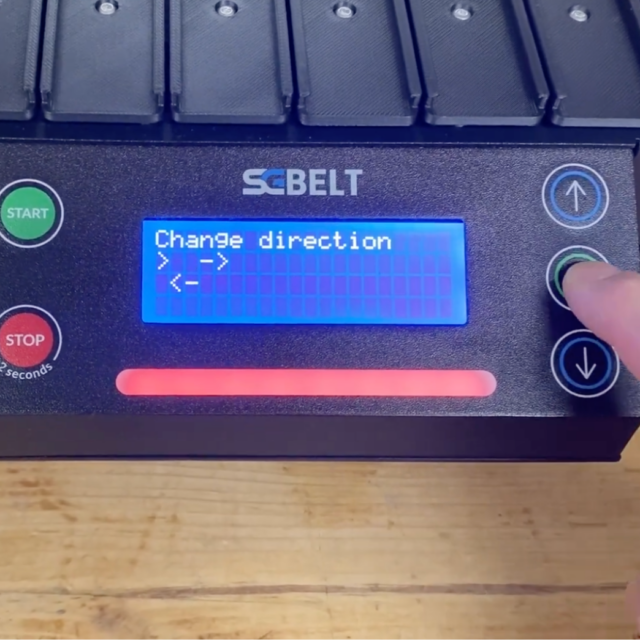
Change Direction option allows you to change the direction of rotation of the belt. Thus, it allows marking on the left side of the conveyor. In this case, the built-in socket usage sensor on the right side will not work – so if you want to use this function, you will need to use a magnetic gate as an external sensor of the item presence.
The last option is Language, which is where you can change the language of the conveyor controller. Currently, you can choose between Polish and English.
The last tab of the menu, is called Other. Here you will find very rarely used settings and information about the controller.
- Reset Settings – in this tab, you can reset all parameters such as the pause time, number of repetitions, plate width, or rotation speed. All controller parameters will be restored to default parameters. In some cases, such as when replacing the conveyor sockets, resetting all parameters at once may be faster than resetting them manually.
- Motor Reverse – this parameter is useful after setting conveyor up. It may be necessary to change it in the case of repair and replacement of the conveyor motor.
- Show – displays our SGBELT Brand slogan
- Update Conveyor – used to update the conveyor software. You can find the update instructions in another video, or by going to the sgbelt.com/update website
- Information – is a section where you can check the firmware version of the conveyor, the total number of markings made or the address of our website.
You might also be interested in this...


